How to Calculate Business Days: Formulas and Tools

The fastest way to get a business days calculation is to use an online calculator or a spreadsheet function. For a count between two dates, paste them into Metriqahub's Days Between Dates tool and get the result instantly, no account needed. For repeatable work in Excel or Google Sheets, two functions cover almost every scenario:
=NETWORKDAYS(start, end, [holidays])counts working days between two dates, including both endpoints when they fall on business days.=WORKDAY(start, days, [holidays])returns the actual date that lands exactly N business days from a start date.- Both functions skip Saturdays and Sundays by default; add a holiday range to exclude federal or company holidays.
- For non-standard workweeks, use
=NETWORKDAYS.INTLor=WORKDAY.INTLand specify which days count as the weekend.
*
Key Takeaways
Accurate business days calculation requires the right tool, a maintained holiday list, and a documented decision about whether the start date counts as day zero or day one.
| Point | Details |
|---|---|
| Use the right tool for the job | Online calculators work for quick checks; NETWORKDAYS and WORKDAY handle repeatable, bulk calculations. |
| Confirm inclusive/exclusive counting | NETWORKDAYS counts both endpoints; WORKDAY treats the start as day zero. Verify before committing to a deadline. |
| Maintain an annual holiday list | Update observed federal holiday dates every January and version the file by year for auditability. |
| Lock holiday ranges in spreadsheets | Use absolute references ($E$2:$E$12) so copied formulas don't silently drop part of the holiday list. |
| Metriqahub for instant results | The Days Between Dates calculator delivers a business-day count with no signup, in seconds. |
Table of Contents
- What does a business day calculator actually do?
- How business-day counting works under the hood
- How to add or subtract business days accurately
- Handling US federal holidays and custom non-working days
- Spreadsheet formulas for counting and adding business days
- Real-world examples: SLA, shipping, payroll, and project timelines
- The workflow most teams should actually use
- Metriqahub's date calculators: fast answers, no signup required
- Sources
What does a business day calculator actually do?
A business day calculator strips weekends and holidays out of a date range and returns either a count of working days or a target date. Most tools, including Metriqahub's time and date calculators, handle this with a few configurable inputs.
Typical inputs you'll see:- Start date and end date for counting working days between two points
- Start date plus a number of business days for finding a future or past business date
- Include end date checkbox — whether the end date itself counts as a working day
- Weekend selector — standard Monday–Friday, or a custom pattern for non-Western workweeks
- Holiday list — US federal holidays as the default, with the option to add a custom CSV or date range
- A count of business days when you enter a date range
- A specific calendar date when you add or subtract N business days
- Copy or export buttons for dropping results into a report or ticket
How business-day counting works under the hood
A business day is any weekday, Monday through Friday, that is not a public holiday. Simple enough in theory. In practice, the rules around which days get counted trip up even experienced project managers.
The inclusive vs. exclusive question. Most spreadsheet functions count both the start and end date when they fall on business days. Sheets Bootcamp confirms thatNETWORKDAYS includes both endpoints, which aligns with how payroll and SLA systems typically operate. An online calculator may behave differently depending on whether the "include end date" box is checked. Always verify before you commit a deadline to a contract.
Common edge cases:
- Start or end date falls on a weekend or holiday. The calculator skips to the next (or previous) business day. The count itself is unaffected, but the boundary date shifts.
- Start date is after the end date.
NETWORKDAYSreturns a negative number, which is useful for checking whether a deadline has already passed. - Time zone boundaries. If your team spans time zones, a date that is "Monday" in New York may still be "Sunday" in Los Angeles at the moment a timestamp is recorded. Standardize on one time zone before running any calculation.
- Daylight saving time. DST transitions don't change the calendar date, but they can shift timestamps by an hour, which matters when a system logs the exact moment a ticket opens or closes. For pure date-based calculations, DST is irrelevant; for hour-level calculations, it is not.
How to add or subtract business days accurately
Adding business days to a date is not the same as adding calendar days. Two approaches exist, and knowing which one your tool uses prevents surprises.
- Iterate day by day. Start at the given date, advance one day at a time, and skip any day that is a weekend or holiday. This is the most straightforward algorithm and the one most online calculators use internally.
- Arithmetic plus correction. Calculate full weeks (each worth 5 business days), add the remainder, then adjust for any holidays that fall within the window. Faster for large numbers of days, but requires a clean holiday list.
Timeanddate's Add/Subtract workdays tool uses the iterative approach and exposes options to choose which days count as weekends, making it useful for teams that work Sunday–Thursday or Saturday–Wednesday. Worked example: add 10 business days to Wednesday, May 21, 2025.
- Start: Wednesday, May 21.
- Count forward, skipping Saturday May 24, Sunday May 25, and Monday May 26 (Memorial Day, observed).
- Day 1 = Thursday May 22, Day 2 = Friday May 23, Day 3 = Tuesday May 27, Day 4 = Wednesday May 28, Day 5 = Thursday May 29, Day 6 = Friday May 30, Day 7 = Monday June 2, Day 8 = Tuesday June 3, Day 9 = Wednesday June 4, Day 10 = Thursday June 5.
- Result: Thursday, June 5, 2025.
- Does the result land on a Saturday or Sunday? If yes, the tool has a bug or the holiday list is misconfigured.
- Is there a federal holiday between the start and result? Confirm it appears in your holiday list.
- Is the time zone consistent between the start date and the result?
- Did you intend to include or exclude the start date as day one? Confirm the tool's behavior matches.
Handling US federal holidays and custom non-working days
Federal holidays are the most common source of off-by-one errors in US business-day calculations. There are 11 federal holidays per year, and several of them shift to an observed date when they fall on a weekend.
The observed-date rule: When a federal holiday falls on Saturday, the observed day is the preceding Friday. When it falls on Sunday, the observed day is the following Monday. The Almanac calculator applies these shifts automatically. If you maintain your own holiday list in a spreadsheet, you need to enter the observed date, not the nominal calendar date, or your count will be wrong. Maintaining a custom holiday list:- Keep a dedicated spreadsheet tab or CSV file with one date per row.
- Include both federal holidays and any company-wide closures (office shutdowns, floating holidays).
- Update the list every January and verify observed dates against an official source such as the U.S. Office of Personnel Management or Gov for UK-based teams.
- Label each entry with the holiday name and the year so the file is auditable.
NETWORKDAYS.INTL handles this with a weekend string argument (e.g., "0000011" for Saturday–Sunday, "0000110" for Thursday–Friday).
Multi-day shutdowns. A company-wide closure from December 24 through January 1 is easiest to handle by adding each date individually to your holiday list rather than trying to express it as a range in a formula.
Example. Your SLA deadline is 5 business days from Monday, December 22. Counting forward: Day 1 = Tuesday Dec 23, Day 2 = Wednesday Dec 24 (if your company closes), Day 3 would skip to Monday Dec 29, Day 4 = Tuesday Dec 30, Day 5 = Wednesday Dec 31. If December 31 is also a company closure, the deadline moves to Thursday, January 1 — which is New Year's Day, a federal holiday, observed Monday January 2 if it falls on a weekend. The deadline lands on Friday, January 2 or the next open business day. That chain of shifts is exactly why a maintained holiday list beats mental arithmetic.
Pro Tip: Version your holiday file by year (e.g., holidays_2026.csv) and note the source you used to verify observed dates. When a deadline dispute arises months later, you'll have a clear audit trail.
*
Spreadsheet formulas for counting and adding business days
Three functions cover the vast majority of business-day calculation needs in Excel and Google Sheets.
| Function | Purpose | Counts start/end? | Custom weekends? |
|---|---|---|---|
NETWORKDAYS | Count business days between two dates | Yes, both | No |
NETWORKDAYS.INTL | Count business days, custom weekend | Yes, both | Yes |
WORKDAY | Return date after N business days | Start is day zero | No |
WORKDAY.INTL | Return date after N business days, custom weekend | Start is day zero | Yes |
=NETWORKDAYS(start, end, [holidays])
Microsoft documents that this function returns the number of whole working days between start_date and end_date, excluding weekends and any dates in the optional holidays range. Both the start and end dates count when they fall on business days.
=NETWORKDAYS(A2, B2, $E$2:$E$12)
=NETWORKDAYS.INTL(start, end, weekend, [holidays])
Use this when your team doesn't work Monday–Friday. The weekend argument accepts a number (1–17) or a seven-character string of 0s and 1s representing Monday through Sunday. "0000011" is the standard Saturday–Sunday weekend.
=WORKDAY(start, days, [holidays])
Returns the date that is exactly N business days from the start. The start date is treated as day zero, so =WORKDAY(A2, 5, $E$2:$E$12) gives you the date 5 business days after A2.
Pro Tip: Lock your holiday range with absolute references ($E$2:$E$12, not E2:E12) before copying formulas down a column. A relative reference shifts with each row and silently excludes part of your holiday list.
A copy-paste-ready example: if your start date is in A2, end date in B2, and holidays in E2:E12:
=NETWORKDAYS(A2, B2, $E$2:$E$12)   → count of business days
=WORKDAY(A2, 10, $E$2:$E$12)       → date 10 business days after A2
Real-world examples: SLA, shipping, payroll, and project timelines
Abstract formulas are easier to trust once you've seen them applied to a real scenario.
- SLA tracking. A support ticket opens Monday, March 3. The SLA requires resolution within 5 business days.
=WORKDAY("2025-03-03", 5, holidays)returns Monday, March 10 (assuming no holidays in that window). If the ticket closes on March 11, the SLA is breached by one day. - Shipping estimates. A warehouse ships orders on the same day if placed before 2 PM. An order placed Thursday, November 27 (Thanksgiving, a federal holiday) ships the next business day, Friday November 28. Add 3 business days for standard ground: the delivery date is Wednesday, December 3.
- Payroll. A new hire starts Tuesday, April 1. The first payroll cutoff is Friday, April 18.
=NETWORKDAYS("2025-04-01", "2025-04-18", holidays)returns the number of payroll-eligible working days in that period, which payroll clerks use to prorate the first paycheck. - Project milestones. A sprint runs from Monday, June 2 to Friday, June 13.
=NETWORKDAYS("2025-06-02", "2025-06-13")returns 10 working days. Subtract any planned company holidays in that window to get available capacity.
*
The workflow most teams should actually use
The conventional advice is to pick one tool and stick with it. That's fine as far as it goes, but it misses the real operational risk: inconsistency between how different people on the same team count days.
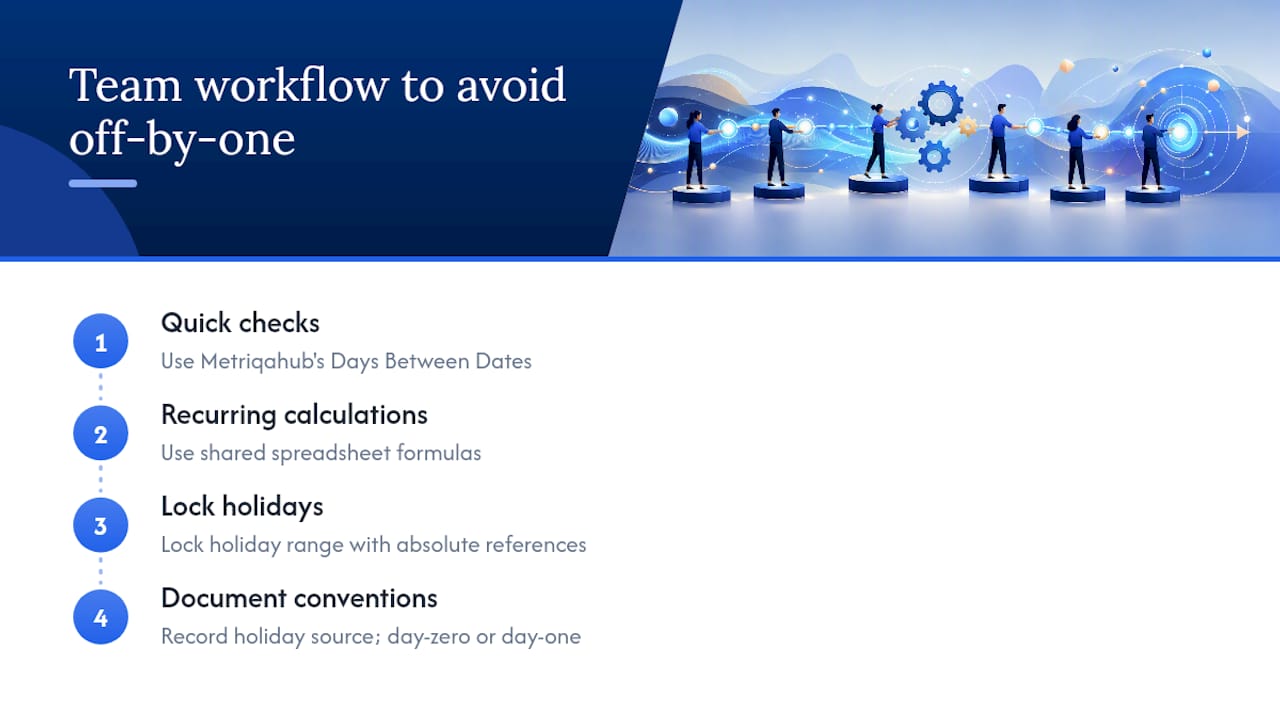
A project manager who counts the start date as day one and a developer whose API counts it as day zero will produce results that differ by exactly one business day, every time, without either of them realizing there's a disagreement. That off-by-one error is invisible until a deadline is missed or an SLA report contradicts a ticket timestamp.
The fix is simpler than most teams make it. Use Metriqahub's Days Between Dates calculator for quick one-off checks where you just need a number fast. Use NETWORKDAYS or WORKDAY in a shared spreadsheet for anything recurring, and lock the holiday range with absolute references so the formula doesn't silently break when someone copies it. Then document two things in the spreadsheet header: the holiday source you used and whether the start date is treated as day zero or day one.
That documentation step is the one almost nobody does, and it's the one that prevents disputes six months later when someone pulls a historical calculation and gets a different answer.
*
Metriqahub's date calculators: fast answers, no signup required
Metriqahub's time and date tools give you instant business-day results without creating an account or installing anything. The Days Between Dates calculator handles the most common need: enter a start and end date, choose whether to exclude weekends and holidays, and get a count in seconds. For adding or subtracting time from a date, the Add or Subtract Time tool covers that alongside the full suite of finance and math calculators on the platform.

These tools are built for the quick check you need before a meeting, not for production automation. For recurring calculations across hundreds of rows, pair them with the spreadsheet formulas above. Open the Days Between Dates calculator now and run your first calculation in under a minute.
*Sources
The sources below cover function syntax, calculator behavior, and official holiday observance rules.
- NETWORKDAYS function | Microsoft Support
- NETWORKDAYS Function in Google Sheets | Sheets Bootcamp
- Almanac
- Business Date Calculator: Add/Subtract Workdays, Holidays or Weekends